White-label website audit reports for agencies
A branded website audit report shows a prospect what is wrong with their site before you ask for anything. CazaLead produces one for every lead it finds, with your logo and colours on paid plans.
Start with 50 free leads every month. No credit card needed.
What should a prospect-facing audit report contain?
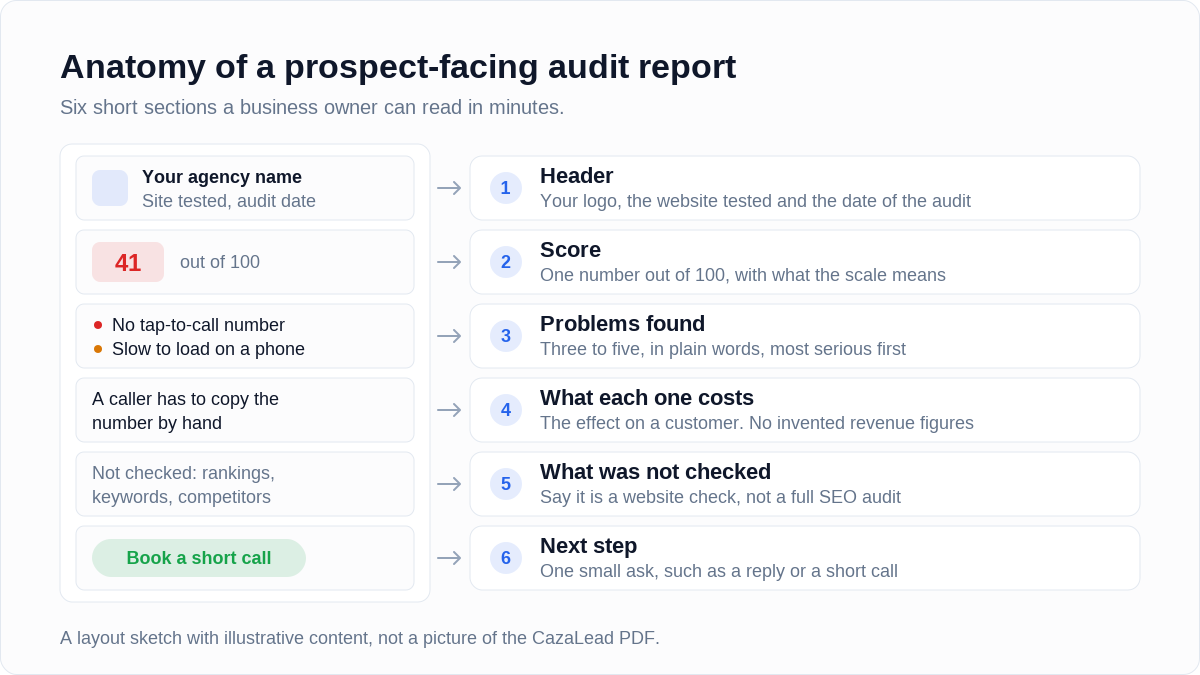
A prospect-facing audit report should contain a score, the specific problems in plain language, what each problem costs the business, and one next step. The reader is a business owner, not a developer, so it should take minutes to read.
| Report section | What it should say | Leave out |
|---|---|---|
| Header | Your agency's name and logo, the website tested and the date of the audit. | Anything that hides who ran the test. |
| Score | One number out of 100 and what the scale means. | A bare number with no date or URL. |
| Problems found | Three to five specific problems, most serious first, in the owner's words: "the phone number cannot be tapped", not "tap targets". | Every failed check in one long list. |
| What each one costs | The practical consequence for a customer, such as having to copy a phone number by hand. | Revenue figures you cannot support. |
| What was not checked | That this is a check of the website, not of rankings, keywords or competitors. | Any claim to be a full SEO audit. |
| Next step | One small ask, such as a reply or a short call. | A price list or a long proposal. |
Our guide to white-label audit reports that win clients goes further on wording, and the small business website audit checklist covers the checks themselves.
How does CazaLead produce a white-label audit report?
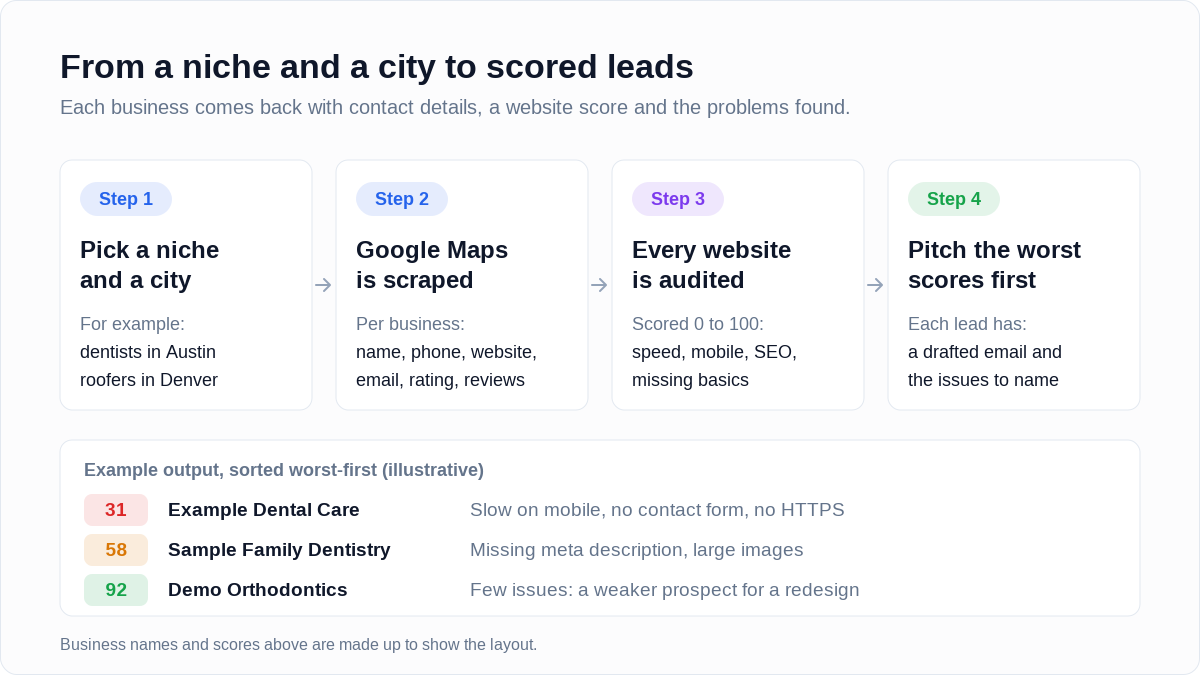
CazaLead produces a PDF audit report for each lead it finds: it scrapes a niche and a location from Google Maps, audits every website and turns each audit into a report.
- 1
Pick a niche and a location
For example, dentists in one city. CazaLead, a no-code web app, scrapes the matching businesses from Google Maps.
- 2
Every website is audited
Google Lighthouse runs in a real Chromium browser, alongside checks such as HTTPS, mobile viewport, load time, page weight, schema markup, contact form and call to action. Auditing does not use up lead credits.
- 3
Each site gets a score and a problem list
The score runs from 0 to 100 and the specific problems are listed. Some niches get extra checks, such as online booking or a menu and online ordering.
- 4
Export the PDF
On paid plans the report carries your agency's logo and colours. On the free plan it carries CazaLead branding.
- 5
Send it yourself
Every lead also comes with a drafted outreach email that names the problems found; on paid plans it is AI-written. You check it and send it.
What comes back for each business?
Each business comes back with its Google Maps details, an email address where one is published, a website score, the problems found and a PDF audit report.
| What you get | Where it comes from |
|---|---|
| Name, address, phone, website and category | From the Google Maps listing. |
| Google rating and review count | From the same listing. |
| Email address | From the business's own website where one is published, with an optional validation check. |
| Website score, 0 to 100 | From the audit of that website. |
| Problems found | The specific issues the audit found. |
| PDF audit report | Your logo and colours on paid plans, CazaLead branding on the free plan. |
| Outreach email draft | Drafted from the problems found on every plan, AI-written on paid plans. |
The list itself exports to CSV. The source is Google Maps.
How do you use an audit report in outreach?
You use an audit report in outreach as proof: quote one or two of its findings in the email and let the report carry the detail.
- Check before you send. Open the site on your own phone and confirm the problems you plan to quote. An audit is a snapshot, and a claim the owner can disprove ends the conversation.
- Date the score. Google's Lighthouse documentation lists reasons a performance score changes between runs, such as traffic routing, different devices and changing ads, so the owner may see a slightly different number.
- Match the offer to the findings. Missing titles, descriptions and schema point to SEO work. A site that fails on mobile altogether points to a rebuild.
- Use the trade's own terms. Our dentist website audit checklist and restaurant website audit checklist show what customers of those businesses look for.
When should you send the report?
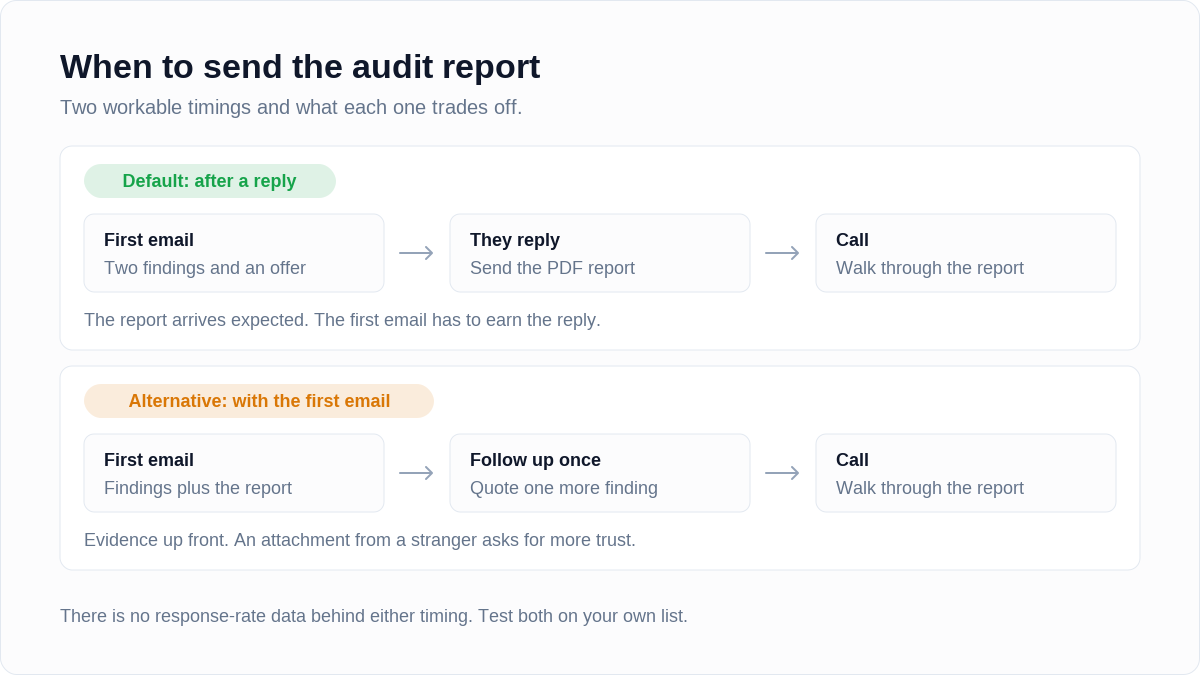
A sensible default is to name one or two findings in the first email, offer the report, and send the PDF when the prospect replies.
We have no response-rate figures for either timing and will not invent any, so test both on your own list. Attaching the report to the first email puts the evidence in front of the owner at once, but an attachment from a stranger asks for more trust than two plain sentences. Sending it after a reply means it arrives expected, and the first email has to earn that reply with a specific finding.
Either way it is cold email. For the US, the FTC's CAN-SPAM guide says "The law makes no exception for business-to-business email", so tell recipients where you are located and how to opt out. This is not legal advice.
What does the report not cover?
The report covers what the audit measures, which is the website itself, so as a white-label SEO audit report it covers on-page and technical basics only. It is not a full manual SEO audit, a competitor analysis or keyword research.
That means no rankings, backlinks or keyword data. Lighthouse says of its own SEO checks: "There are many additional factors Lighthouse does not score here that may affect your search ranking" (Lighthouse source code). An audit also cannot see a business's sales, so any money figure for what a problem costs is your estimate, not a measurement. White-labelling here means your logo and colours on the PDF.
A different approach is better in two cases. If a client is paying for an SEO audit, do it by hand with ranking, link and keyword tools. If you have a single prospect, run the free website audit tool on that one URL instead of building a list.
Which plans include white-label reports?
White-label PDF reports are included in every paid plan, from Starter at $9/month, as of November 2026. The free plan's PDF carries CazaLead branding.
| Plan | Price | Leads a month | PDF report |
|---|---|---|---|
| Free | $0 | 50 | CazaLead branding |
| Starter | $9/month | 1,000 | Your logo and colours |
| Pro | $59/month | 10,000 | Your logo and colours |
| Business | $149/month | 100,000 | Your logo and colours |
Paid plans also add AI-written outreach emails, advanced filters and priority support. Details are on the pricing page.
White-label audit reports: common questions
Put your name on the audit
Audit a niche and a city, then send each business the report that fits it.
Start with 50 free leads every month. No credit card needed.